- Run DeepSeek‑V4‑Flash on a Raspberry Pi 5 (8GB) — practical guide
- Lightweight DeepSeek V4 on Pi 5: steps, tradeoffs, and tips
- Pi 5 + DeepSeek‑V4‑Flash: quantized inference setup
Summary
This guide shows how to run a practical, quantized build of DeepSeek‑V4‑Flash on a Raspberry Pi 5 with 8 GB RAM. It covers preparing the OS, building a small-footprint inference runtime, loading a quantized model (GGUF/ggml), and running inference. Advantages/examples:
- Low-cost local inference for experimentation, demos, and small automation tasks.
- Offline privacy: runs on your LAN without cloud calls.
- Good for prototypes, chatbots, or embedded assistants where latency and throughput are modest.
Important: a 284‑billion‑parameter model cannot run on a Pi 5. This guide assumes you have (or will create) a quantized, much smaller GGUF/ggml variant suitable for CPU inference (e.g., a distilled/quantized file in q4_0/q4_k_m format). If you only have a full 284B checkpoint, use a remote GPU server or a cloud instance.
Parts / tools (minimalist)
- Raspberry Pi 5, 8 GB (64‑bit OS recommended)
- microSD (32 GB+) or NVMe/USB SSD (recommended for swap)
- 64‑bit Raspberry Pi OS or Ubuntu Server (aarch64)
- Power supply, network
- Model file: DeepSeek‑V4‑Flash quantized to GGUF/ggml (q4/q8 variants)
- Host PC (optional) for model conversion (faster)
Overview of the approach
- Install a lightweight CPU inference engine (llama.cpp / ggml-compatible).
- Obtain or convert a quantized GGUF model (do conversion on a PC if possible).
- Run inference with tuned thread/context settings.
- Use swap or external storage if model memory slightly exceeds RAM (with caveats).
Install and build (commands)
Use a 64‑bit OS. On the Pi:
# Update and install build deps
sudo apt update && sudo apt upgrade -y
sudo apt install -y git build-essential cmake libopenblas-dev libomp-dev python3 python3-pip

# Clone and build llama.cpp (widely used ggml runtime)
git clone https://github.com/ggerganov/llama.cpp.git
cd llama.cpp
make -j4
Note: the above builds the CPU runtime. On a Pi you might use fewer jobs (-j2/-j3) to avoid overheating.
Get or convert the model
Option A — Download a pre-quantized GGUF/ggml file:
- Use a trusted source that provides a quantized GGUF: e.g., a community-provided DeepSeek‑V4‑Flash q4_0.gguf. Verify checksums.
Option B — Convert on a PC:
- Converting large checkpoints to GGUF/GGML (and GPTQ quantization) is CPU/GPU heavy. Convert on a desktop/GPU and copy the resulting .gguf to the Pi.
General advice: aim for q4_0 / q4_k_m / q5 variants to fit under or near 8 GB RAM. q8 takes more memory but is faster; q4 is smaller.
Run the model
Example CLI invocation using llama.cpp main binary:
# from llama.cpp folder
./main -m /path/to/deepseek-v4-flash-q4_0.gguf -t 6 -n 256 -c 2048 -p "Write a short summary of DeepSeek-V4-Flash."
Key flags:
- -m : model file path
- -t : threads (set to number of CPU cores/threads, e.g., 6–8)
- -n : number of tokens to generate
- -c : context size (reduce if you hit memory limits)
- -p : prompt
Reduce -c (context) and -n (predict tokens) to lower memory. If the binary name differs (main -> main.exe or server), adjust accordingly.
Tuning for reliability & performance
- Threads: set to physical cores; hyperthreading may not help on ARM. Try 4–6 threads and benchmark.
- Batch/context: smaller context reduces memory.
- Use q4_k_m or q5 quantizations if available for a favorable memory/speed balance.
- If you run out of RAM, try a small swap file on SSD (see pitfalls).
Alternatives and tradeoffs
- Run quantized model on Pi (this guide): cheapest, private, low power; limited to small-to-medium quantized models and higher latency.
- Remote GPU server: supports large models (including originals) and faster generation; costs money and adds network latency.
- Distilled/smaller models: best fit for Pi when you need responsiveness; requires accepting lower capability than larger models.
- Specialist edge hardware (e.g., Coral/NPU): very limited for LLMs; better for small models/embeddings, not full LLM inference.
Opinionated tradeoff: for experimentation and privacy, a quantized model on Pi is a great low-cost option. For production or heavy requests, use a GPU backend and keep the Pi as a client.
Tips, pitfalls, and gotchas (3–5 bullets)
- 284B is impossible on Pi: do not try to load massive checkpoints—always use a quantized/smaller GGUF.
- Use a 64‑bit OS; 32‑bit will limit addressable RAM and break large models.
- Swap helps avoid OOM but will be very slow on microSD and will wear it; prefer an external SSD if you must swap.
- Convert large models on a desktop/GPU — conversion on the Pi is slow and may fail.
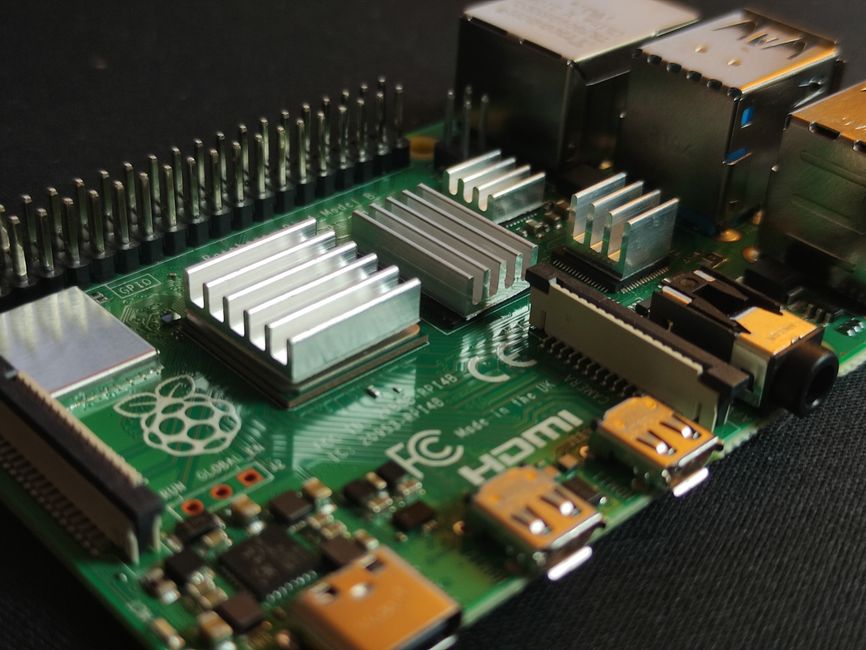
- Thermals and CPU clocks: sustained inference can thermally throttle the Pi; consider active cooling.
Example quick test (prompt)
./main -m deepseek-v4-flash-q4_0.gguf -t 6 -n 128 -p "Translate to French: 'Hello, how can I help you today?'."
If you see OOM errors, reduce -t, -c, and -n, or switch to a lower‑memory quant file.
Final notes
- Measure realistic latency: small prompts + q4 models yield seconds per response; expect tens of seconds with larger contexts.
- Maintain model provenance and licensing. Only run models you are legally allowed to use.
- If you need an API, run the runtime on a more powerful host and use the Pi as a thin client for responsive UX.
If you want, I can add an automated systemd service file, an example prompt tuning strategy for the model, or a checklist to convert a Hugging Face checkpoint to GGUF on a desktop GPU.